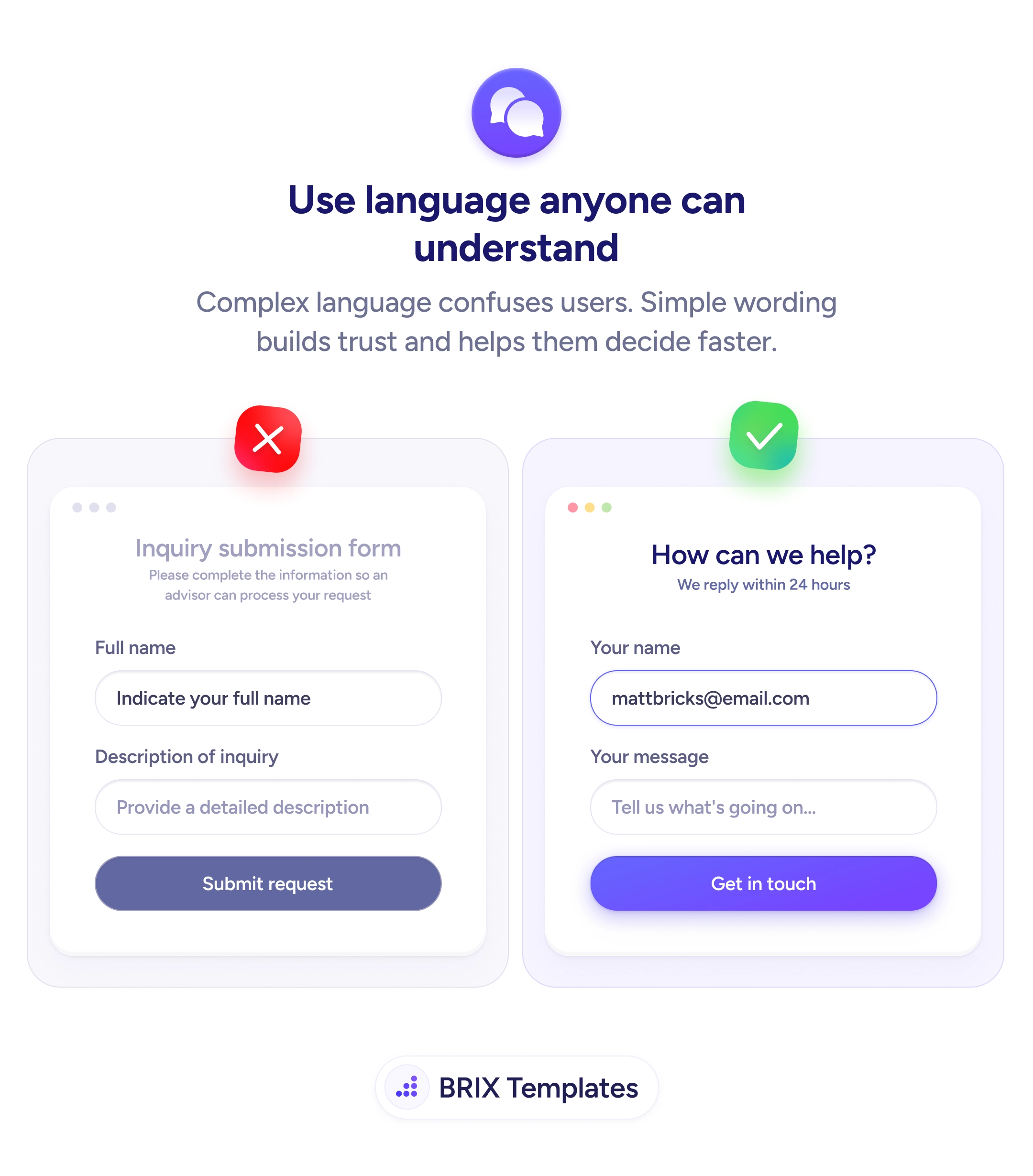
When a form is written in formal or bureaucratic language, users slow down to mentally translate every label before answering. Phrases like “Inquiry submission form”, “Indicate your full name”, or “Submit request” signal that the interaction is a transactional process, not a conversation. That subtle shift in tone increases hesitation, raises the perceived effort of completing the form, and pushes users to abandon at exactly the moment they were ready to reach out.
A more effective pattern is to write form copy the way you would speak it out loud. Replace the form’s institutional heading with a question (“How can we help?”), label inputs with conversational phrasing (“Your name”, “Your message”), and end with a button that names the actual outcome (“Get in touch”). The form starts to feel like the beginning of a reply instead of the start of a process — which often makes users finish it without re-reading.
Audit each line for unnecessary formality: words like “please indicate”, “complete the information”, or “process your request” almost always come out without losing meaning. Show example values in placeholders ([email protected]) so users see the expected shape of the input instead of being told what to do. Match the button label to the user’s intent, not the system’s action — “Get in touch” describes what the user wants; “Submit request” describes what the form does.
- Replace formal headings with a conversational question that invites a reply.
- Label fields with second-person possessives (“Your name”, “Your message”) instead of formal descriptors.
- Use placeholders to show examples, not to repeat instructions the label already covers.
- Name the outcome on the button, not the system action — “Get in touch” over “Submit request”.
- Read every line aloud — if it doesn’t sound like something a person would say, rewrite it.
Plain-language form copy can reduce the friction of filling out the form by removing every unnecessary layer of formality between intent and action. When the form sounds like a conversation, users typically complete it faster and trust the result more — because nothing in the wording is making them second-guess what they’re agreeing to.